Contents
Before moving a note collection to another computer, I would ask a question that has little to do with the new machine: what copy could I return to if I made the wrong change? Seeing the same folder on two devices is reassuring, but it does not by itself answer that question.
The scenario below is a hypothetical laptop replacement. The collection includes text notes, attachments and a few exported project documents. I will outline the checks I would make without promising that one product or storage medium can guarantee recovery.
Name the different copies
Obsidian's backup guidance distinguishes synchronization from a separate backup. A sync service keeps devices aligned; an independent backup serves a different purpose. I would begin by naming which copy is live, which is a backup and which is only an export. That prevents a familiar-looking folder from doing three imaginary jobs.
For the demonstration, the laptop holds the working collection and another device receives synchronized changes. I would not count that relationship alone as my migration fallback. A mistaken deletion or change may be part of what the system is meant to synchronize. The exact behavior depends on the service and its settings.
Inventory the collection before copying it
I would identify where the notes, attachments, settings and exports actually live. A collection may appear to be one folder while containing external references or files stored elsewhere. I would inspect representative notes with images and linked documents, not only a few text-only examples.
The Library of Congress's personal-archiving interview with Laura Kells and Meg McAleer offers a useful organizing perspective: begin with broad groups and realistic limits before detailed refinement. I would borrow that scale of approach for the inventory. This is an application of their published discussion, not a claim that they prescribed this laptop-migration checklist.
Make the fallback explicit
Here is the planning note I would use for the hypothetical migration. It deliberately contains no real account information or storage paths. The blank details need to be filled from the person's actual setup and current tool instructions before the plan is used.
I would keep the fallback separate from the active editing process. A backup that is immediately overwritten by the next mistaken sync may not provide the recovery path I expected. The method, retention and location all need to match the actual software and the importance of the collection.
Working copy: Identify the current authoritative collection.
Sync relationship: Record which devices and services change it.
Separate backup: Record date, location and method.
Included: Notes, attachments and required context.
Restore sample: One note, one image, one linked document.
Stop condition: Keep the old setup until the new copy is checked.
Try opening a restored sample
I would make a small restore into a separate safe location, following the backup tool's instructions. The check should include the content and the relationships: can I read the note, open the attachment and understand the link? Seeing filenames in a backup list is a weaker check than recovering representative material.
I would avoid testing by replacing the only working collection. The purpose of a sample is to learn without making the main copy depend on an unverified procedure. If restoring requires credentials, a special application or a particular version, that dependency belongs in the plan.
Move in a controlled sequence
For the invented laptop replacement, I would pause unnecessary editing, create the separate backup, verify a sample and then follow the note application's migration instructions. I would inspect the new working copy before resuming normal changes across devices. This is a proposed sequence, not a universal recipe for every sync service.
I would be careful with two simultaneous active copies. If both are edited without a clear plan, I may create another problem: deciding which changes belong in the final collection. A brief transition note about where editing is happening can prevent that ambiguity for a shared or multi-device setup.
Keep the recovery plan usable later
A successful migration is not a permanent backup strategy. I would decide when new separate copies are made, how long they remain available and how I notice a failed backup. The Library of Congress recommends redundant copies and continued attention to digital storage; no medium should be treated as an unattended forever box.
I would also protect access to the backup. A recovery plan that depends on an account I cannot access is incomplete. The details can be sensitive, so I would store them appropriately rather than paste credentials into an ordinary project note or share them in a demonstration screenshot.
Inventory one real-shaped collection before moving it
For the hypothetical laptop change, I would list the kinds of material rather than immediately copy the most visible folder. The collection might contain ordinary text notes, images used in those notes, PDFs, templates and exported documents. I would then identify where each kind actually lives. The list is a map of the setup, not a claim that every note application stores all these materials in one place. I would follow the current documentation for the specific tools involved.
The representative sample should include more than a simple text note. I would choose one note with an image, one with a document link and one whose formatting or internal links matter to the project. These examples test different relationships. If all three open correctly on the original computer, that establishes a useful baseline before copying. If an attachment is already missing, I would resolve or record that condition so the migration is not blamed for a pre-existing problem.
I would also identify any information that depends on the current environment. A link may refer to a location outside the main folder. A workflow may rely on an application setting or an extension. I would not assume every dependency must be copied; some may be unnecessary for the retained collection. The important step is recognizing them and deciding deliberately. A collection that remains readable in a simpler form can be easier to preserve than one whose essential information is hidden behind an undocumented setup.
The inventory would finish with a clear description of the current authoritative copy. That matters when several devices synchronize changes. I would decide where editing pauses and where it resumes, rather than allow two machines to become independent sources of new work during an uncertain transition. The inventory is successful when I can explain what I am moving, what I am preserving as a fallback and what I expect to inspect before using the new environment normally.
Make the separate copy serve a recovery question
The recovery question is specific: what would I restore if the next change were mistaken? A live synchronized folder may not answer it because alignment is its primary role. I would identify a separate backup with a known creation point, method and retention appropriate to the collection. The exact setup depends on the tools and the value of the work. I would not treat a drive, cloud account or copying method as a guarantee simply because it has the word backup in its name.
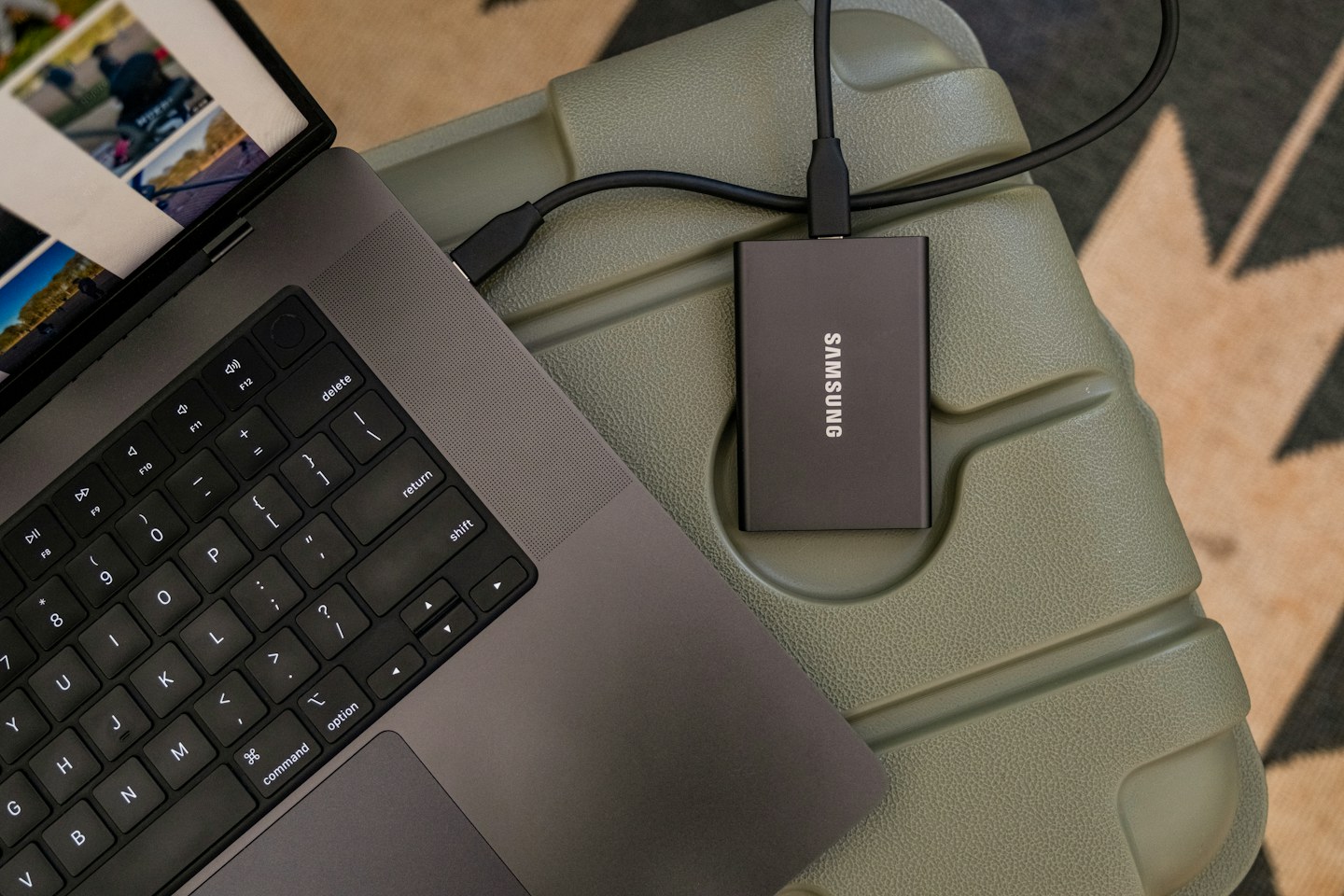
I would make the backup according to the relevant instructions and keep it outside the immediate editing path. For the example, that means knowing which process can change the live collection and which copy is intended to remain available if that process goes wrong. A separate location is helpful only if the recovery information and access remain usable. If I cannot find the copy, identify its contents or open it when needed, its apparent existence does not settle the practical question.
The record should include the scope of the backup. “Notes copied” is ambiguous if attachments were stored separately. I would state which components were included and any known exclusions. That makes the later restore check more meaningful: it can test the intended coverage rather than discover that the plan never included the material I assumed it did. A small explicit inventory is more informative than a broad completion message whose meaning I have not inspected.
I would protect access details separately and appropriately. A demonstration note should not contain passwords or recovery codes, and a routine project note is not automatically a suitable place for sensitive credentials. The operational record can say where authorized recovery information is maintained without exposing it. That preserves the distinction between documenting a process and distributing the means to access private material. Both the backup and its handover need to fit the actual privacy context of the collection.
Inspect a restore as a small independent artifact
I would restore a representative sample into a separate safe location, using the backup tool's supported process. The goal is to learn whether the retained material is usable without replacing the only working copy. I would open the restored note, inspect its image and follow the relevant document link. A file list alone does not show whether the content is readable or whether its relationships survived. The sample should exercise the kinds of material the inventory identified.
The check needs a known expectation. I would compare a short passage, an identifiable image and the intended destination of one link with the baseline. That is more useful than declaring the result correct because the application opens. A collection can appear normal while a less visible attachment is missing. I would not attempt to prove that every future recovery will succeed from one sample; the sample provides evidence about this backup and this restoration process under the conditions tested.
If the restore fails, I would record the actual failure before changing the setup. Did the file fail to copy, did the path change, or does the destination application interpret the material differently? Those problems need different responses. Repeating a whole migration without identifying the failure can make the state harder to understand. I would preserve the working source and investigate the smallest reproducible issue first, following current tool guidance where the process depends on application behavior.
A successful sample should leave a short record of what was checked and what was not. For example, text, one image and one link were inspected, while other attachments remain outside the sample. That limit keeps a useful check from becoming an exaggerated assurance. I would retain the fallback until the new environment's ordinary tasks have been inspected. The purpose is controlled recovery, not a certificate that the entire future of the collection is now risk-free.
Resume editing with a clear handover between devices
For the hypothetical new laptop, I would follow the application's current migration instructions, establish the intended working copy and inspect representative content before normal editing resumes. If synchronization is involved, I would understand how the new device joins that relationship. I would not improvise a merge between two independently edited collections simply because both contain familiar note titles. The transition should have a clear sequence and a known source of current work.
I would then perform an ordinary task: open a project, follow its note links, add a small nonessential test change if appropriate and confirm the expected behavior through the supported workflow. The aim is to inspect the setup in use, not merely at installation. If a problem appears, I would record it before making several unrelated adjustments. A clear sequence makes it easier to know which change affected the result and whether the fallback is still intact.
The old environment should remain available until I have satisfied the migration checks appropriate to the work. Device disposal has additional privacy and account considerations beyond this article. I would follow the manufacturer's current process for those steps rather than treating a successful notes copy as permission to erase the device immediately. The collection migration and the device's final disposition are related tasks with different requirements, and a useful checklist should keep that boundary visible.
Finally, I would establish the continuing backup routine for the new working environment. A migration copy is a point-in-time fallback, not automatically an ongoing protection process. I would decide what changes are included, how failures are noticed and when a representative restore is inspected again. The plan should remain understandable after the laptop replacement is forgotten. A useful handover leaves the collection readable, the recovery path explicit and the next maintenance decision tied to real use.
A sample migration record with checks left visible
This is the record I would prepare for the hypothetical laptop change. It names representative content and separates the plan from completed verification. The locations are role descriptions, not real paths or account details. Before using it, the owner would supply the actual supported backup method and migration instructions. A blank or pending result is useful information: it tells the next person which check still needs to happen instead of presenting an attractive checklist as evidence that a recovery was performed.
The result column should be filled only after the relevant sample has actually been inspected. A failure needs a description precise enough to investigate, such as a missing image or an inaccessible linked document. I would not replace every pending entry with passed because the new application opens. The separate backup and the restored sample have different roles, and the record should retain that distinction. Once the move is understood, the same record can identify what ongoing backup arrangement protects the new working collection without claiming that the migration copy updates itself.
Working collection: Current laptop, identified before changes.
Editing during transition: Paused at the agreed point.
Separate backup: Identify creation point, scope and supported method.
Included material: Notes, images, PDFs and required context.
Known exclusions: Record explicitly before proceeding.
Restore destination: Separate safe test location.
Text sample: Open and compare a known passage — pending.
Image sample: Open the image from its note — pending.
Link sample: Follow the intended document reference — pending.
Failure record: State the actual missing or unreadable material.
Resume condition: New working copy and fallback checks understood.
Continuing backup: Identify the process and who notices a failure.
Frequently Asked Questions
Q: Is synchronization a backup?
A: It has a different primary role: keeping working copies aligned. Some services offer history or recovery features, but inspect their limits. Keep an independent backup strategy appropriate to the collection’s value.
Q: Do I need to back up application settings?
A: Determine what is required to interpret and restore your actual collection. Notes and attachments are essential, while settings, plugins or indexes may also matter. Follow the application’s current migration and backup guidance.
Q: How often should I back up?
A: Choose a frequency based on how much recent work you could tolerate losing and how the collection changes. This article does not prescribe one interval for every person or guarantee a recovery outcome.
Q: Can I test a restore without replacing my notes?
A: Usually a separate test location is the safer approach, subject to the backup tool’s instructions. Inspect a representative sample and avoid experimenting on the only working copy.
Q: Should I erase the old laptop immediately?
A: First confirm the new environment, the separate backup and the information you need to retain. Device disposal also involves privacy and account steps; follow the device maker’s current instructions rather than relying on this notes checklist alone.
One thing to take forward
Before a migration, I would want a clear answer to “What can I restore, and have I actually checked it?” A named separate copy and a small successful restore are more informative than the reassuring sight of the same folder on two screens.
Sources & further reading
- Obsidian: Back up your Obsidian files ↗
- Your Personal Archiving Project: Where Do You Start? ↗
- Library of Congress: Preserve Your Digital Files, Papers, Photographs and Books ↗
Something needs correcting? Write to the editors with the article link.